Prompt Library
Build with AI, the CA way.
Tap Copy prompt on any section and paste it into your favourite AI app builder.
Prompt 01
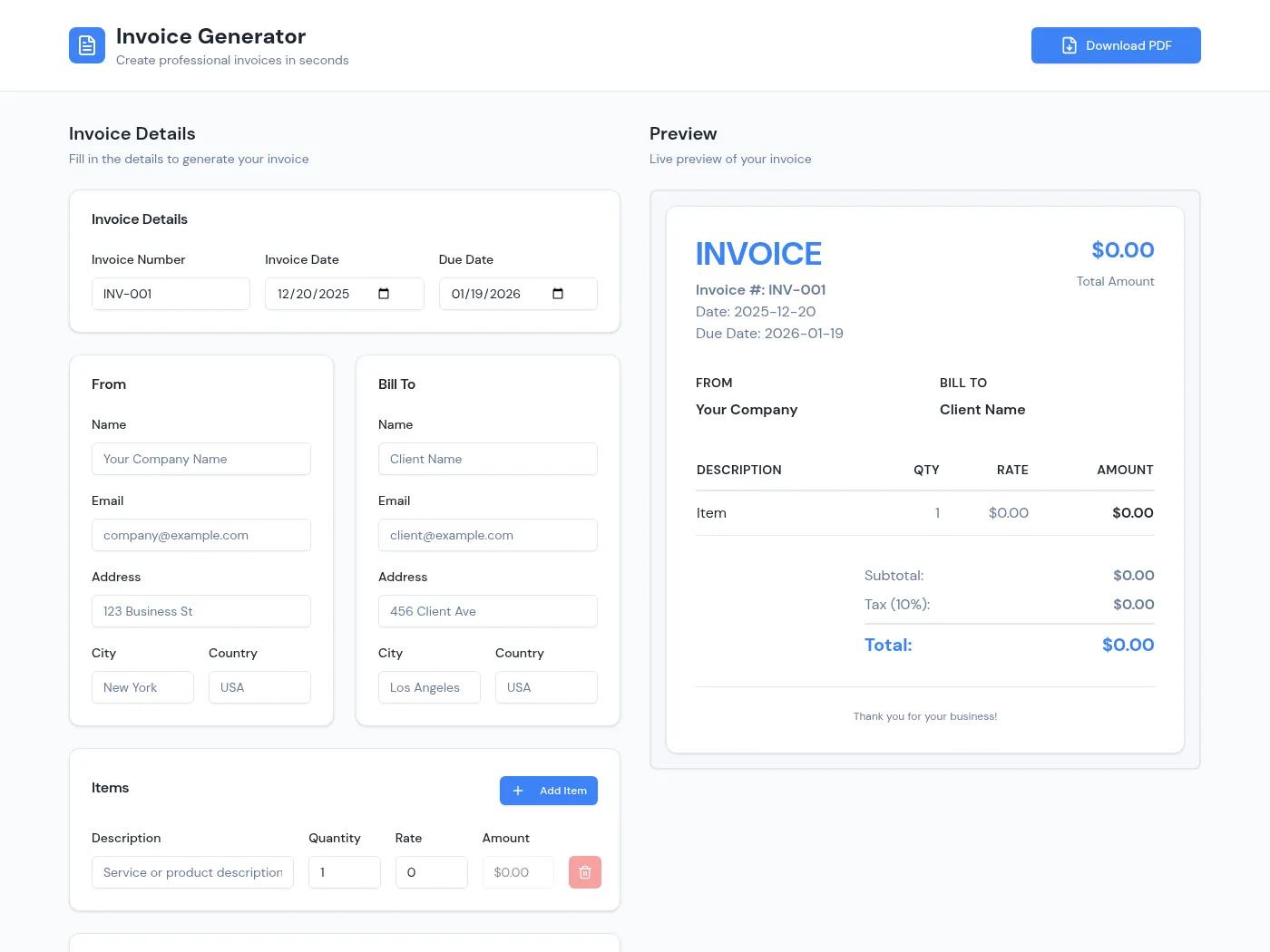
Invoice Generator – HTML
Create a clean, professional, fully branded HTML Invoice Generator for "CA Jasleen & Associates".

Features:
- Simple, elegant, professional invoice layout with my firm branding/logo and signature (use the attached signature).
- Input fields: Client Name, Client Address/GSTIN (optional), Invoice Number, Invoice Date, Services Provided, Service Amount, and GST Rate.
- GST Rate should be selectable (e.g., 0%, 5%, 12%, 18%, etc.), with an option to enter a custom rate.
- Automatically calculate GST amount and Grand Total based on the service amount and selected GST rate.
- Clearly display: Subtotal, GST %, GST Amount, and Total Amount.
- Include standard professional-service invoice wording and a clean footer with "CA Jasleen & Associates".
- Allow adding multiple service line items with separate descriptions and amounts.
- Make the invoice visually polished, print-friendly, and suitable for sending to clients.
- Add a prominent "Download PDF" button that generates a properly formatted PDF invoice.
- Add "Preview Invoice" and "Reset" options.
- Ensure the PDF contains only the invoice, without buttons or unnecessary UI elements.
- Make the entire tool responsive and easy to use on desktop and mobile.
- Use a premium corporate aesthetic with minimal colors, clean typography, generous spacing, and a professional CA-firm look.
Prompt 02
Website
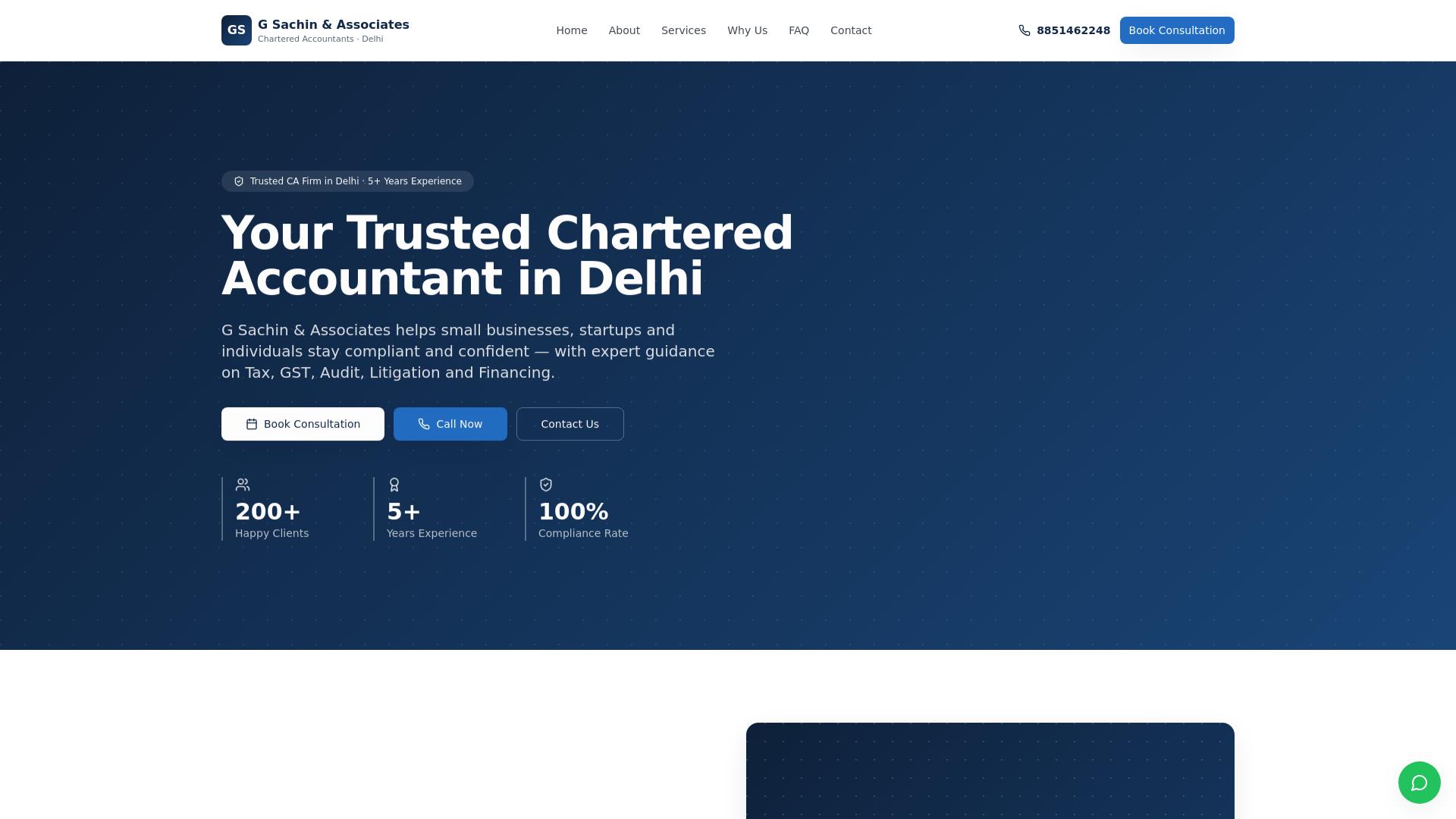
Create a modern, responsive website for my Chartered Accountancy firm named Jasleen Daswal, Chartered Accountants.

Include Home, About Us, Services and Contact sections. Services should cover GST, income tax, audit, bookkeeping and virtual CFO services.

Use an elegant navy-blue, white and teal design with professional typography, a mobile-friendly navigation menu, service cards, a clear consultation call-to-action and a contact form with front-end validation.

Use realistic professional copy and fictional contact details. Make the website visually polished on desktop and mobile.
Prompt 03
Client compliance tracking application
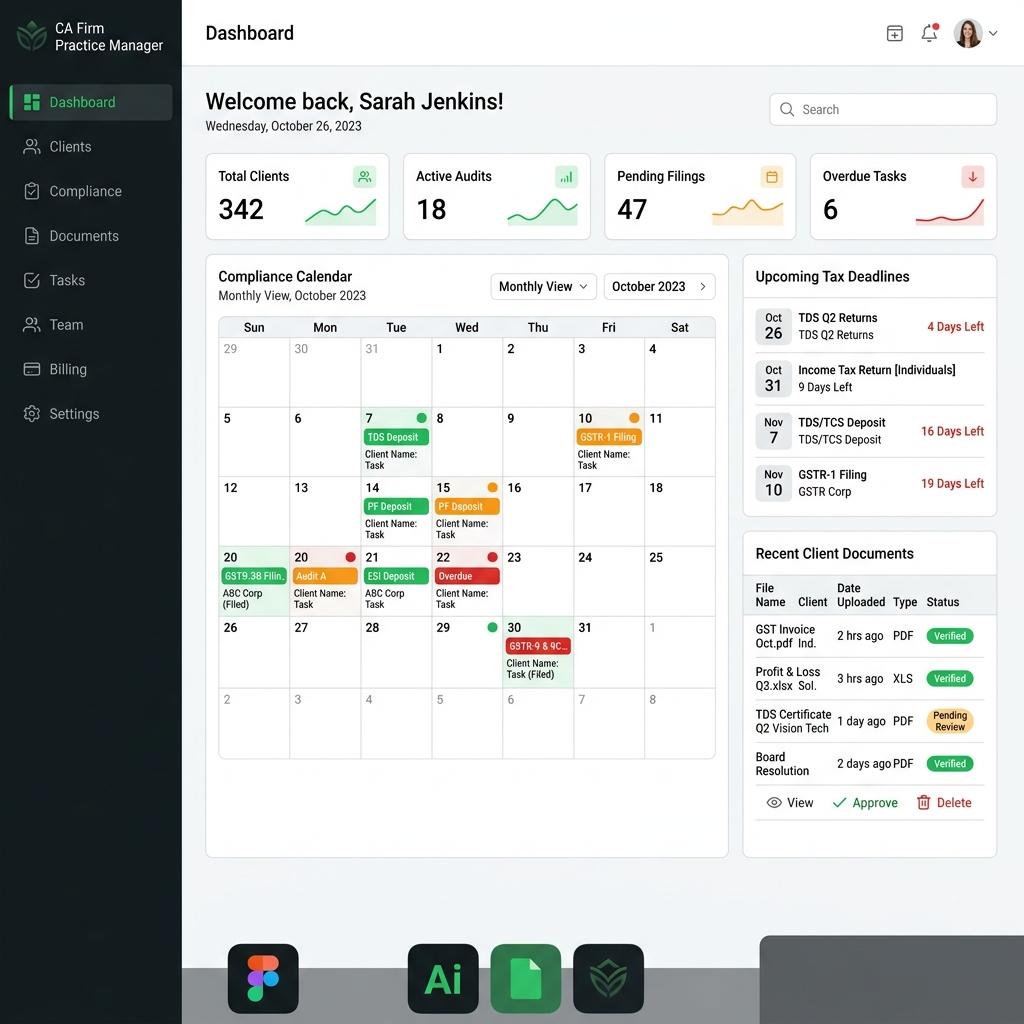
Build a responsive client compliance tracker for MY CA practice.

Each compliance record should include client name, compliance type, financial period, due date, assigned team member, status (Pending, In Progress, Filed), priority and remarks.

Include:
- Summary cards for Total Tasks, Due Soon, Overdue and Filed.
- A searchable and filterable table.
- Clear status badges and overdue highlighting.
- Ability to add, edit and delete records.
- Eight realistic fictional sample records.
- A simple CSV export if feasible.

Ensure the filters, forms and status changes work. Keep the interface clean and easy to demonstrate.
Prompt 04
GST litigation management dashboard
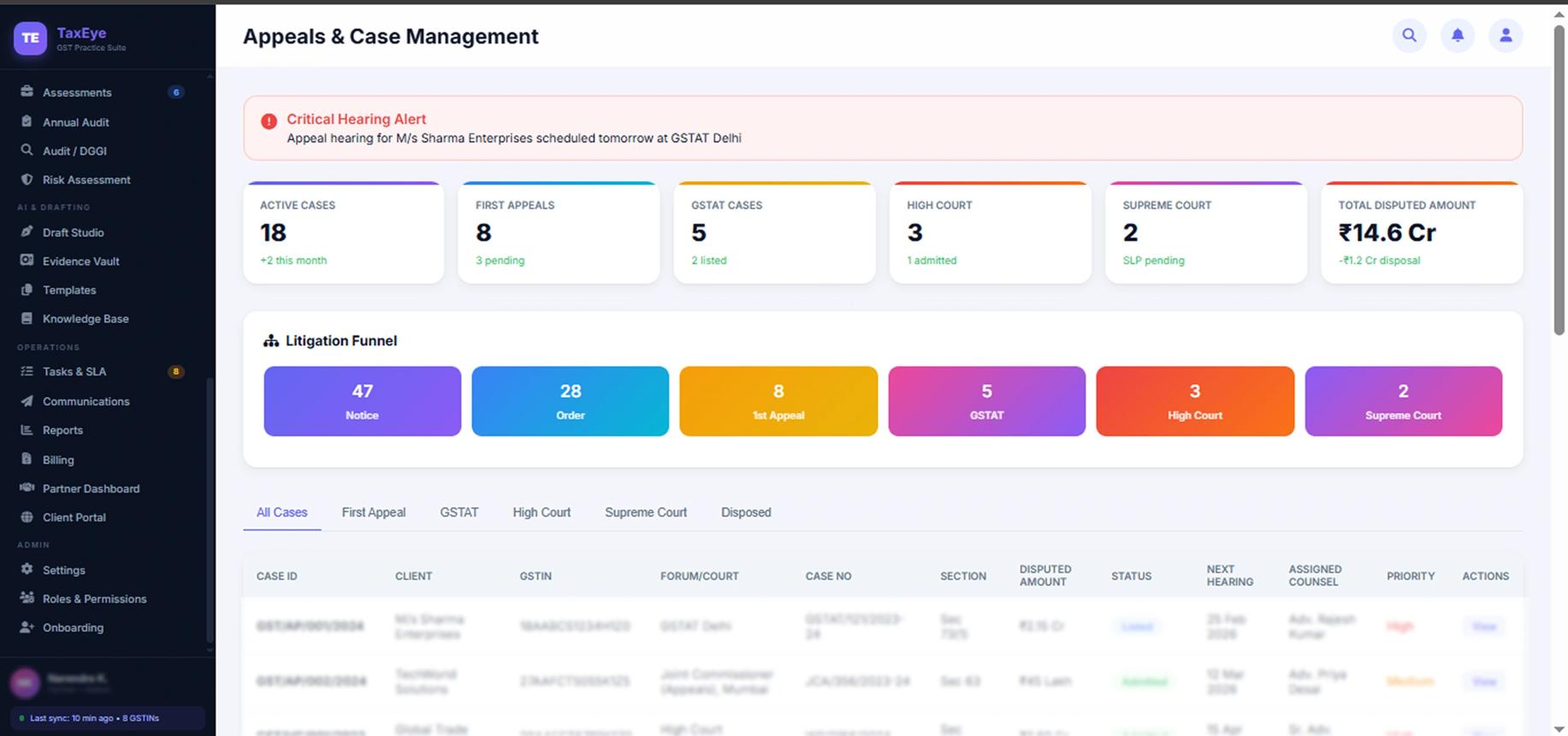
Create a GST litigation management dashboard for a CA firm using case records.

For each case, include client, notice/order reference, issue category, amount involved, notice date, response deadline, case stage, assigned owner, next action and document checklist.

Display summary cards for Open Cases, Total Amount Involved, Deadlines Within 7 Days and Overdue Actions. Add search, stage and priority filters, a case detail view, and the ability to add or edit cases.

Use a clean professional dashboard layout.
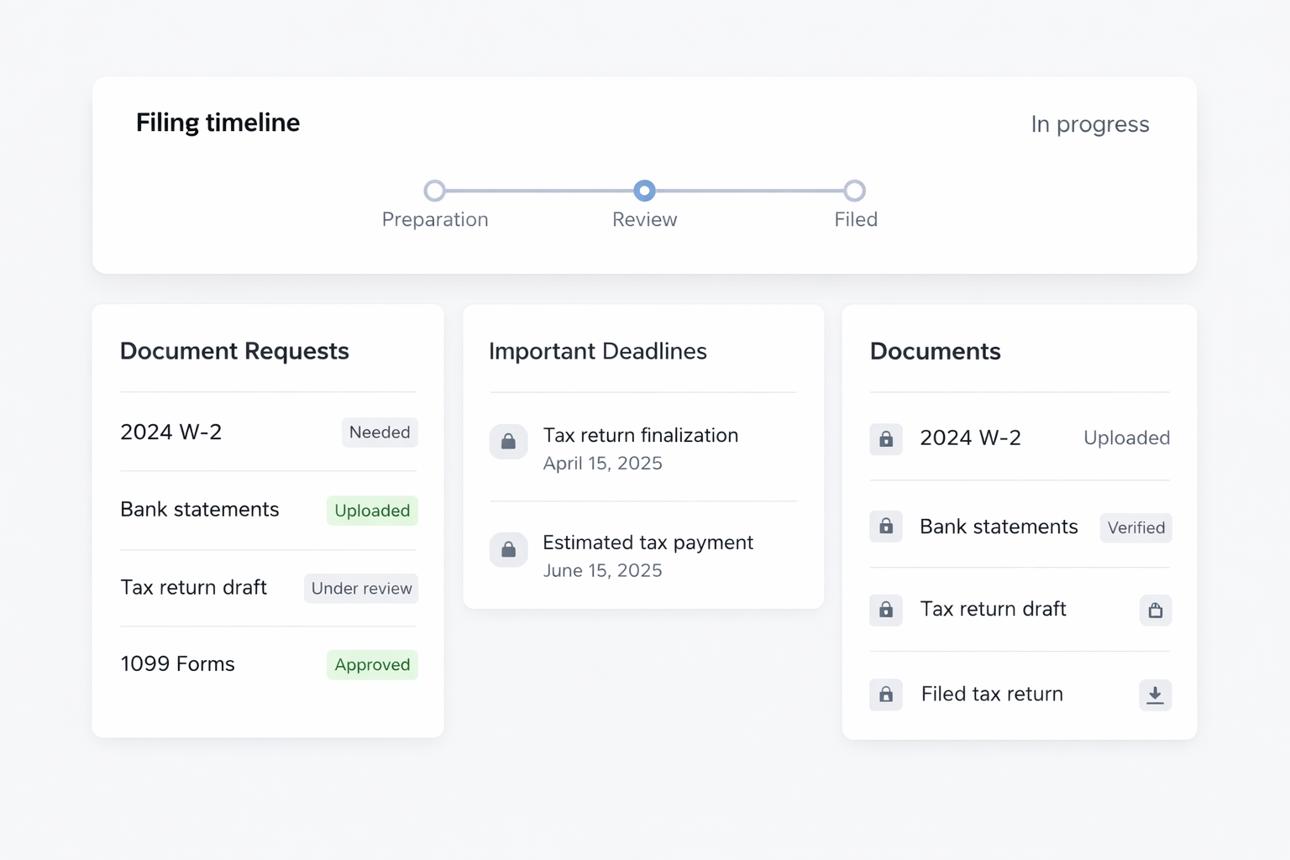
Prompt 05
Client document collection portal
Build a client document collection portal for MY accounting practice.

Show clients, financial year and a list of requested documents. Each request should contain document category, requested date, due date, status (Requested, Uploaded, Needs Clarification, Accepted) and reviewer comment.

Include a completion progress bar, status filters, a document checklist, and an interactive upload action that changes a document's status.

Use a professional, mobile-friendly design and realistic fictional records. Add authentication, database & cloud storage. Add a "Rejected — resubmission required" status also.
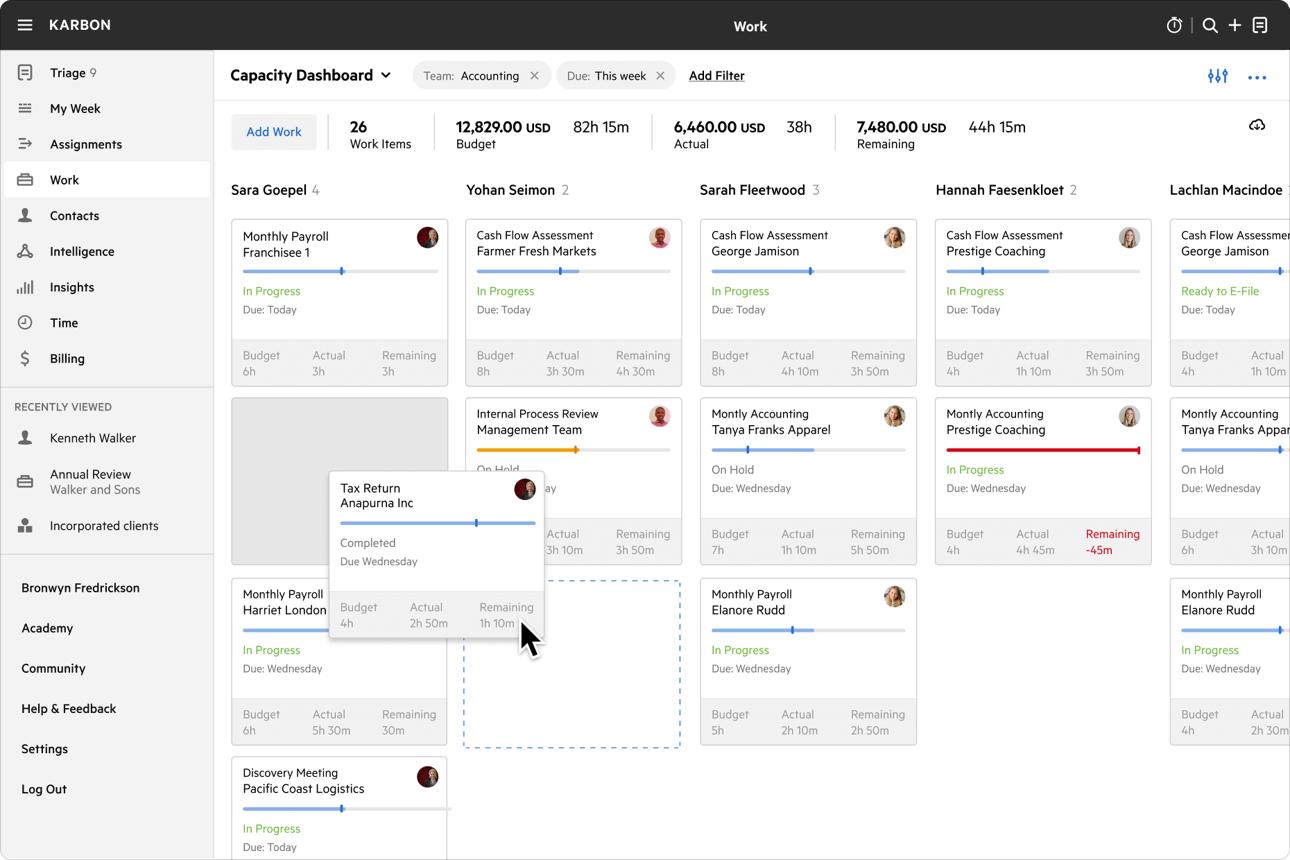
Prompt 06
Custom practice management application
Build a simple practice management application for my CA firm. Create tasks.

Each task should include task title, client, service line, assignee, due date, priority, status and estimated hours.

Create a Kanban board with To Do, In Progress, Review and Done columns. Add task creation and editing, search and filters, overdue indicators, and summary cards for open tasks and workload by team member.

Use eight tasks. Keep the interface responsive and professional. Ensure task changes update the dashboard correctly.
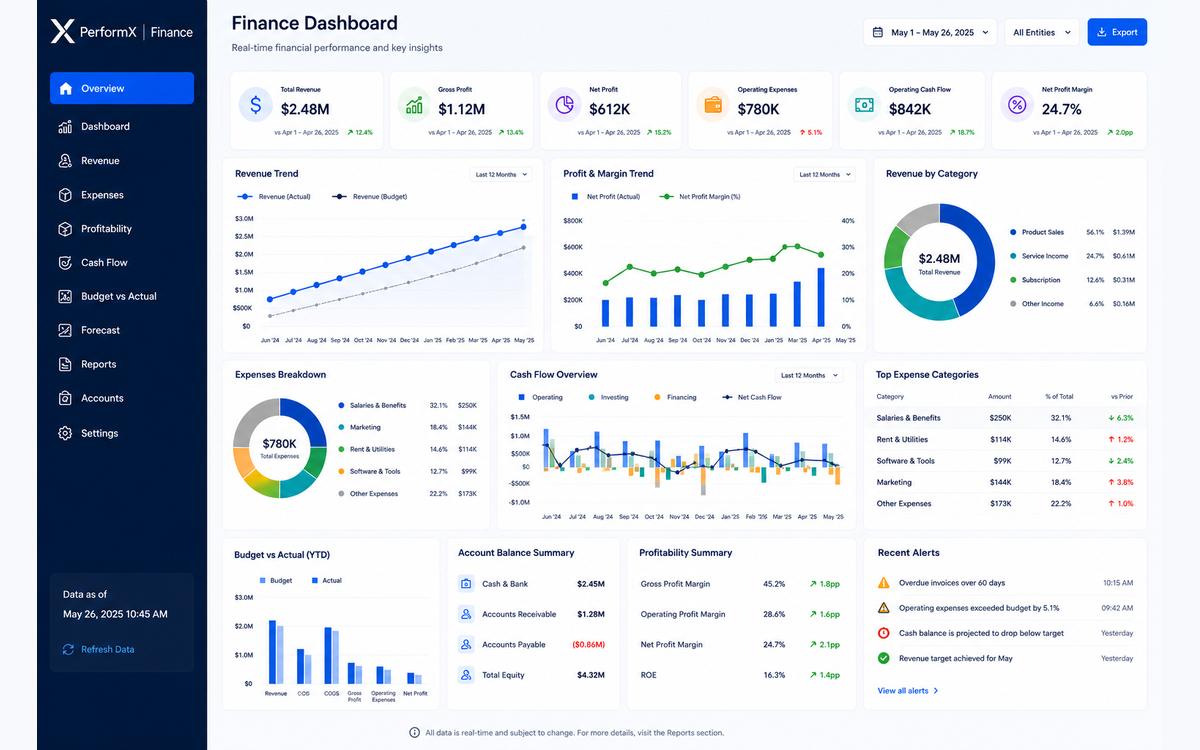
Prompt 07
AI-powered financial review assistant
Build a financial review assistant for Chartered Accountants.

Let users enter monthly revenue, expenses, net profit, current assets and current liabilities. Or let users upload Profit & Loss & balance sheet in a given format in excel or csv format. Include a sample dataset and an Analyse button.

Generate a clearly labelled illustrative review covering:
- Revenue and expense movements.
- Profit margin.
- Current ratio, where the necessary figures are available.
- Unusual expense growth and potential risk flags.
- Questions to ask management.

Show each finding with its supporting figures, explanation and suggested follow-up. Identify missing data and state assumptions explicitly. Do not invent financial figures or present findings as audit conclusions, tax advice or assurance.

For this initial version, use transparent, deterministic calculations and rule-based sample insights rather than claiming to have a live AI model. Keep the interface professional and the calculations testable.
Prompt 08
The universal improvement prompt
Improve the existing application without rebuilding it or changing its overall design.

First inspect the current implementation. Fix any broken interactions, calculation errors and validation issues you identify.

Then make only this improvement: [DESCRIBE ONE SPECIFIC CHANGE].

Preserve all existing working features, layouts, sample data and styling unless the requested change requires otherwise. Do not introduce new pages, integrations, databases or authentication. After making the change, verify the affected workflow and report anything that still needs testing.